
How to get a Wise card in Malaysia - 2026




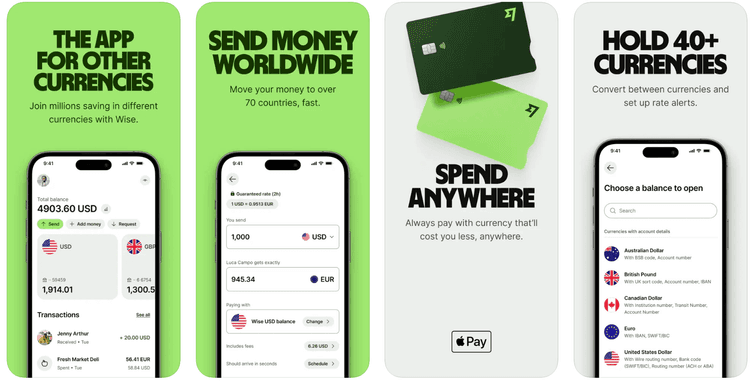
If you use a debit or credit card to pay in foreign currencies when you travel, or when shopping with international ecommerce retailers from Malaysia, small card charges can add up quickly. A Wise card can help. Open a Wise multi-currency account which lets you hold 40+ currencies and spend or withdraw at the mid-market exchange rate, with low, transparent conversion charges and no foreign transaction fee.
This guide covers the application steps, documents, fees, delivery, activation, and top-up options.
How to apply for a Wise card in Malaysia: step by step
If you have not opened Wise yet, our Wise account review and guide on how to open a Wise account explain the setup, and opening a Wise account is free.
Create your Wise account online or in the app, using your email address and personal details.
Open the Cards tab and choose the option to order a physical Wise card.
Pay the one-time card order fee of 13.70 MYR.
Confirm your delivery details and upload any documents Wise asks for to verify your identity.
Once the order is accepted, your digital card details are available in the app for online payments or mobile wallets.
Ready to start? You can begin on the official Wise card page for Malaysia.

What documents do you need to apply for a Wise card?
Wise verifies your identity before issuing the card, and most applicants are asked for the same basic documents.
You will usually need:
a valid photo ID, usually a passport or MyKad
a selfie check if Wise prompts for one
proof of address if Wise needs an extra address check
if you are not a Malaysian citizen, your passport and possibly visa and pass details
Verification often takes 1 to 2 working days once Wise receives your documents.
How to activate your Wise card
For Malaysian orders, there is usually no separate activation step. To switch on contactless, make a Chip and PIN purchase, a cash withdrawal, or an ATM balance enquiry.
Can you get a Wise card in Malaysia?
Yes. Wise customers in Malaysia can order a Wise card linked to their Wise digital account, for a one time fee.
The card is also available in places like the UK, the US, Canada, Brazil, Australia, and most of the EEA. Our Wise card review has a broader feature breakdown.
How long does it take to get a Wise card in Malaysia?
Your digital card details are normally available once the card order is set up.
For a Malaysian delivery address, Wise currently shows up to 3 working days for standard tracked delivery and up to 4 working days for expedited delivery. Verification checks can delay dispatch.
How much is the Wise card fee?
There is no annual fee and no monthly fee for the Wise card itself. In Malaysia, the main upfront cost is the one-time 13.70 MYR card order fee.
Spending is free when you use a currency you already hold, while currency conversion starts from 0.77%. ATM withdrawals are free up to 2 withdrawals and 1,000 MYR per month, then 1.75% plus 5 MYR applies. Additional charges may apply from independent ATM networks.
Fee type | Cost | Notes |
|---|---|---|
Physical card order | 13.70 MYR | One-time fee when you order the card |
Annual fee | 0 MYR | No ongoing annual fee |
Monthly fee | 0 MYR | No monthly fee for the card itself |
Spend in currencies you hold | 0 MYR | No foreign transaction fee on currencies you hold |
Currency conversion | From 0.77% | Applies when you spend in a currency you do not hold, or do not hold enough of |
ATM withdrawals within allowance | 0 MYR | Up to 2 withdrawals and 1,000 MYR per month |
ATM withdrawals above allowance | 1.75% + 5 MYR | 1.75% applies above 1,000 MYR, and 5 MYR applies after 2 free withdrawals |
Details correct at time of research - 16th October 2026 **additional charges may apply from independent ATM networks
See our guide to Wise fees for a wider breakdown. Current Malaysia card terms are also on the official Wise Malaysia card page.
How does the Wise card work in Malaysia?
The card is linked to your Wise multi-currency account, where you can hold 40+ currencies. When you pay or withdraw, Wise first checks whether you already have the currency needed for that transaction.
If you do, the payment comes from that balance. If not, Wise auto-converts from the eligible balance with the lowest available conversion cost. The Wise card can be used in 150+ countries, wherever you see the network logo displayed.
How does the Wise card work in Malaysia?
You can hold 40+ currencies in your Wise account, and use your card all over the world to spend and make withdrawals. There’s no fee to spend if you hold the currency balance you need - and if you don’t have the currency you need in your account, the Wise card will automatically convert the amount for you.
The conversion will be managed from whichever available currency account has the cheapest conversion fee, so there’s no need to worry about converting money before traveling as you’ll know you’ll always get the lowest fee every time you spend.
How do I top up a Wise card in Malaysia?
You do not top up the card itself. Instead, you add money to your Wise account, and the card spends from the balances in that account.
Log in to Wise on the app or desktop site.
Choose Add money from your account home screen or balance view.
Select the amount and currency you want to add, usually MYR if you are funding from Malaysia.
Pick the available payment method, which may include bank transfer or FPX, and review the costs shown upfront.
Confirm the payment and wait for the balance to update before spending.
Some Malaysian users may also see MYR local account details in Wise, which can let you send a normal bank transfer or FPX payment into your MYR balance. Wise shows the cost before you confirm.
How to get a Wise virtual card in Malaysia
Need card details before the physical card shows up? The virtual option is usually quicker.
In Malaysia, Wise personal customers can create a digital card in the Cards section after ordering the physical card.
Log in to Wise on the app or website.
Open the Cards tab.
Choose to get a digital card.
Complete the on-screen setup and view the card details.
Add the card to Apple Pay or Google Pay if you want to use it from your phone.
A virtual card is mainly useful for online spending and mobile wallet payments.
Is the Wise card safe to use?
Wise gives you card controls in the app. You can freeze or unfreeze the card, get instant transaction notifications, and adjust spending controls.
A card can also be easier to monitor than cash because you can react in the app if something looks wrong. Our guides on Is Wise safe? and the Wise review add more detail if you want to look more closely at the Wise security features.
How to replace or cancel your Wise card
If your card is lost, damaged, stolen, or not working properly, you can usually request a replacement from the Wise app or website.
Go to the Cards tab.
Select the card you want to manage.
Choose Replace card.
Pick the reason for the replacement.
Confirm your address and submit the request.
If you want to cancel the physical card, Wise directs users to contact support through its help channels, often through the in-app chat.
Is it worth getting a Wise card in Malaysia?
Whether it is worth getting depends on how you spend. If you often pay in supported foreign currencies, holding those balances can cut down repeated conversion costs.
If you mostly spend only in MYR, the card may add less day-to-day value. For travel, overseas shopping, and multi-currency spending, the fee structure is fairly simple.
Potential advantages include:
no annual or monthly fee for the card itself
free spending when you use a currency you already hold
access to 40+ currencies in one account
spending in 150+ countries
digital card access and mobile wallet support
app controls such as freeze and unfreeze, instant alerts, and spending controls
If that fits how you spend, the official Wise card page for Malaysia has the current application flow and card terms.
How to get a Wise card in Malaysia FAQs
Useful Resources
Checked 16th October 2026